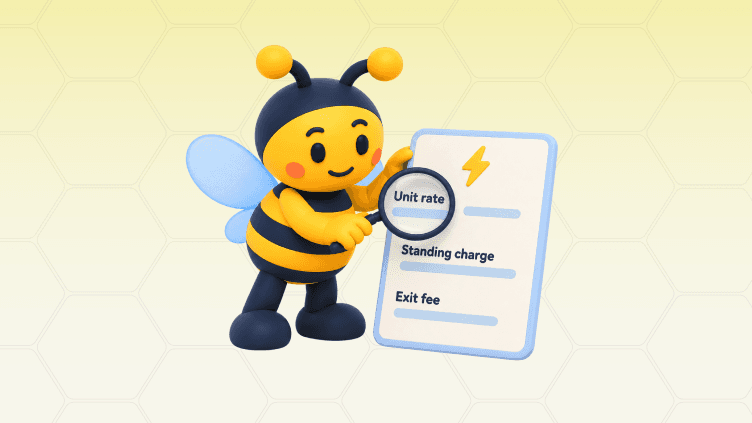
A tariff information label (TIL) summarises an energy tariff’s key prices and terms, including unit rates, standing charges and any exit fees. Understanding these details is a useful first step when choosing an energy tariff.
This guide explains where to find your TIL, how to read it and what to check before switching. Combined with your household’s actual energy use, it can help you assess whether you’re on the best energy tariff, rather than relying on an advertised monthly estimate.
What Is a TIL, and Why Does It Matter?
A TIL is a summary of an energy tariff’s prices and key terms, designed to make comparisons easier. It helps you check what you pay per unit, the daily charge and any cost of leaving early.
It describes the tariff, rather than your actual consumption or account balance. For the differences between fixed, variable and time-of-use plans, see our guide to energy tariffs explained.
Where Can You Find Your Tariff Information Label?
You can usually find your TIL in your supplier’s online account, contract documents or tariff information pages. Bills and statements may also show an “About your tariff” summary.
Check your account or app: Look under tariff, plan or contract details.
Check your welcome email: Match the exact tariff name and version.
Ask your supplier: Request the label for your current tariff if you cannot find it.
For other suppliers’ prices, start with these pages:
Supplier | Where to Look |
British Gas | |
EDF | |
E.ON Next | |
Octopus Energy | |
ScottishPower | |
OVO | |
Utility Warehouse | |
Good Energy | |
Outfox Energy |
A postcode may be needed because rates vary by region. Viewing a label does not necessarily provide a personalised estimate or mean the tariff is available to you.
How Do You Read and Compare Tariff Information Labels?
Read the rates and contract terms together, then compare tariffs using the same household consumption. Check that each label matches your postcode, meter type and payment method.
These are ten common fields to look for; suppliers may organise them differently:
TIL Field | What to Check |
Supplier name | The company providing your energy. |
Tariff name | The exact plan name, including any version number. |
Tariff type | Whether prices are fixed, variable or linked to another pricing rule. |
Payment method | Whether the rates apply to Direct Debit, prepayment or another method. |
Unit rate | The price per kWh, including all applicable rate bands. |
Standing charge | The daily charge, including days when you use no energy. |
Tariff end date | When the agreement ends, if it has a fixed term. |
Price guaranteed until | How long the stated price guarantee applies. |
Exit fees | The amount, whether it is per fuel and when it applies. |
Additional products or services | Included extras, discounts and their conditions. |
Unit Rates and Standing Charges
The unit rate determines what you pay for energy used; the standing charge adds a daily cost. Compare both together. A lower unit rate can be offset by a higher standing charge, especially if you use little energy.
Check the VAT wording and calculate gas and electricity separately. Ofgem’s energy billing guide explains these charges.
Contract Dates, Price Guarantees and Exit Fees
Contract dates show when your deal ends, while price guarantees explain how long particular prices or pricing promises apply. Read both rather than assuming they mean the same thing.
Check whether exit fees apply per fuel: an illustrative £50 fee for each fuel could mean £100 to leave a dual-fuel deal. A fixed rate also does not fix your total bill; using more energy still costs more.
Worked Example: Estimating Your Energy Costs
Estimate your energy cost by multiplying usage by the unit rate, then adding the standing charge for each day. With rates expressed in pounds:
Energy cost = (kWh used × unit rate) + (days × daily standing charge)
For illustration, use Ofgem’s October–December 2026 average Direct Debit electricity rates for a 30-day period:
Item | Calculation | Cost |
Electricity used | 300 kWh × £0.2632 | £78.96 |
Standing charges | 30 days × £0.5483 | £16.45 |
Total electricity cost | Usage plus standing charges | £95.41 |
These Great Britain benchmark rates reflect the temporary 0% electricity VAT rate. They are not a personalised supplier quote.
Understand Your Energy Costs
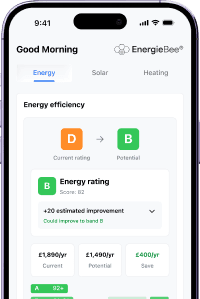
Track your electricity use and forecast your costs with EnergieBee. Get the free app today.
For an annual comparison, use your own annual kWh and 365 days of standing charges, allowing for any known rate changes. An estimate is not a guaranteed bill, and a monthly Direct Debit may also include adjustments for your account balance.
How Do TILs Work for Economy 7, EV and Tracker Tariffs?
Specialist tariff labels need to be read alongside their time bands, eligibility rules or changing-price formulas. One advertised unit rate may not describe what all your electricity costs.
Tariff Type | What to Check |
Economy 7 and other multi-rate tariffs | Each rate, the off-peak hours and how your meter handles clock changes. |
EV tariffs | Charging windows, daytime prices, equipment requirements and whether discounts cover the whole home or qualifying charging only. |
Heat pump tariffs | Discounted hours, eligible equipment and the cost of heating outside those periods. |
Tracker tariffs | What prices follow, how often they change and any maximum rate. |
Dynamic tariffs | The pricing formula and current daily or half-hourly schedule. |
For example, Octopus Tracker changes prices daily, while Agile Octopus uses half-hourly prices. A label or contract explains the structure; the current price schedule tells you the applicable rates.
To compare multi-rate plans, multiply the electricity used in each period by its matching rate, then add standing charges. This matters when using hot water to store cheap electricity or running heat pumps with solar panels.
What Should You Check Before Switching Tariffs?
Check that the new tariff suits your home and that the expected savings outweigh any fees or lost benefits. Use this checklist before agreeing:
Confirm the details: Match your postcode, payment method, meter and exact tariff version.
Compare realistic costs: Use your own consumption, including peak and off-peak usage.
Check the conditions: Review exit fees, discounts, eligibility and contract dates.
Look beyond the label: Consider service quality, optional extras and full tariff terms.
Save the documents: Keep the quote, TIL and contract confirmation.
You can switch without an exit fee during the final 49 days of a fixed tariff. Earlier fees may still be worthwhile if the savings over the remaining contract period exceed them. Citizens Advice’s switching guidance explains the rule.
Moving home or changing tariffs with the same supplier is not automatically fee-free; check your contract. If the quote, TIL or bill shows different figures, compare the effective dates, tariff version and VAT treatment, then ask the supplier to explain any unresolved difference in writing.
After agreeing a new contract, you normally have a 14-day cooling-off period. You still pay for energy supplied. A standard supplier switch should normally complete within five working days, unless you choose a later date; see Ofgem’s switching guidance.
Understand Your Tariff Costs With EnergieBee
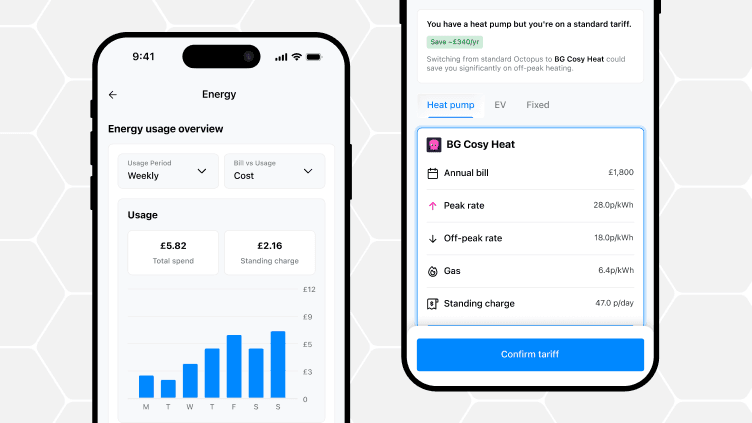
EnergieBee helps you understand your electricity costs through usage monitoring and tariff-aware bill forecasts. Your TIL provides the rates; your household’s consumption determines what those rates cost you.
Use the app to:
See your usage: Review daily electricity patterns and identify periods of higher consumption.
Understand your spending: View electricity costs, including the standing-charge contribution shown in the weekly overview.
Plan ahead: See projected monthly and annual electricity costs based on your consumption patterns.
Reviewing these details helps you judge whether a different tariff—or shifting flexible usage to cheaper hours—could suit your home.
Install EnergieBee to understand your electricity use and make more informed tariff decisions.
Frequently Asked Questions About TILs
Are Suppliers Required to Provide a TIL?
Yes. In Great Britain, suppliers must make TILs available for their operational tariffs and provide a copy free of charge on request. Ask for the label matching your exact tariff name and version. These duties are set out in Ofgem’s electricity supply licence conditions.
Is a TIL the Same as an Energy Bill?
No. A TIL summarises your tariff’s prices and terms. Your energy bill shows consumption, charges, payments and your account balance for a billing period. Tariff information may appear within the bill, but it does not replace the bill itself.
Do TIL Rates Include VAT?
Check the label’s VAT wording before comparing prices or adding tax. Under the temporary domestic electricity VAT rules, qualifying electricity in Great Britain is zero-rated from 1 October 2026 to 31 March 2027. Domestic gas, and qualifying domestic electricity in Northern Ireland, remain at 5%.
How Often Does a TIL Change?
There is no single update schedule for every tariff. Check for updated information when prices or terms change. Fixed tariffs generally keep their agreed rates for the fixed term, subject to exceptions such as tax changes. Tracker and dynamic tariffs can change prices daily or half-hourly, so check the supplier’s current rate feed alongside the TIL.
What Happened to the Tariff Comparison Rate?
Ofgem removed the requirement to display the Tariff Comparison Rate in 2017. You may still see it in older guides or labels. For a useful comparison today, calculate costs using your own consumption, the applicable unit rates and standing charges, then account for relevant fees or discounts.