You can test your solar panels at home without climbing onto your roof. Start by checking your inverter, looking at your generation readings and comparing them with the expected output.
If your panels are producing less electricity than usual, it doesn't necessarily mean something is wrong. Solar panels still generate electricity on cloudy days, but their output depends on how much sunlight they receive.
For smaller, safely accessible panels, you can also use a multimeter to check their voltage.
In this guide, we'll walk you through these checks, explain what the readings mean and help you work out whether your panels need professional attention.
Solar Panel Testing: What Tools Do You Need?
For a small, standalone solar panel, you'll need the right equipment depending on what you want to measure.
Tool | What It Measures |
Digital multimeter | Open-circuit voltage (Voc) |
Solar PV current tester | Short-circuit current (Isc) |
Suitable load or solar analyser | Actual power output (watts) |
Panel specification label | Expected voltage, current and wattage |
A multimeter is useful for basic checks, but it can't confirm whether your panel delivers its full rated power.
Note: These tools are for safely accessible standalone panels. Leave electrical testing of rooftop systems to a qualified solar installer.
How to Test Rooftop Solar Panels Without a Multimeter
Work through these four quick checks to narrow down what might be affecting your solar panel performance.
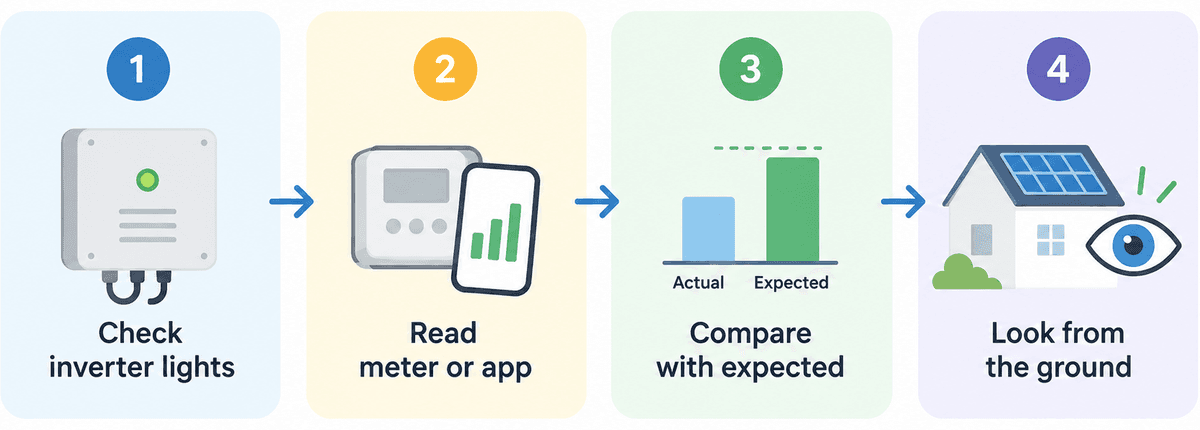
Step 1: Check Your Solar Inverter
Start with your solar inverter. Its display should show whether your system is generating electricity.
Look for:
Warning lights or error codes.
Zero or unusually low output during daylight.
If you spot an error, check the manufacturer's manual. For example, SolarEdge explains what different inverter lights mean.
Step 2: Check Your Generation Meter and Monitoring App
Your generation meter, if fitted, records how much electricity your panels produce in kilowatt-hours (kWh).
Generation meter: Check whether the reading increases during daylight.
Monitoring app: Look at your daily generation and compare it with your inverter.
If the inverter works normally but the app shows no data, it could be a connection issue.
Step 3: Compare Actual Generation with Expected Output
Solar panels naturally produce less electricity on cloudy days and during winter.
Compare your generation with:
Similar days or previous years.
Your system's estimated output using the free PVGIS tool.
One low reading isn't necessarily a problem. Consistently poor results deserve attention.
Step 4: Check for Shading, Dirt or Damage from the Ground
Look at your panels from a safe position on the ground. Check for:
Shadows from nearby trees or buildings.
Heavy dirt, leaves or bird droppings.
Visible cracks or storm damage.
These can affect performance. Energy Saving Trust recommends regular checks for dirt and damage.
If you notice anything unusual, contact your installer rather than climbing onto the roof.
How to Test a Solar Panel with a Multimeter
If you have a small, accessible solar panel, such as one used for a shed or caravan, a multimeter can help you check its voltage. Here's how the testing works.
Step 1: Check the Specifications of a Safely Isolated Panel
Only test a standalone panel that has been safely disconnected from its battery, charge controller or other equipment. Remember, solar panels still produce voltage in daylight even when disconnected, as the IET explains.
Find the specification label on the back of the panel. Look for:
Voc: Open-circuit voltage
Isc: Short-circuit current
Vmp and Imp: Voltage and current at maximum power
You'll compare your test results with these values.
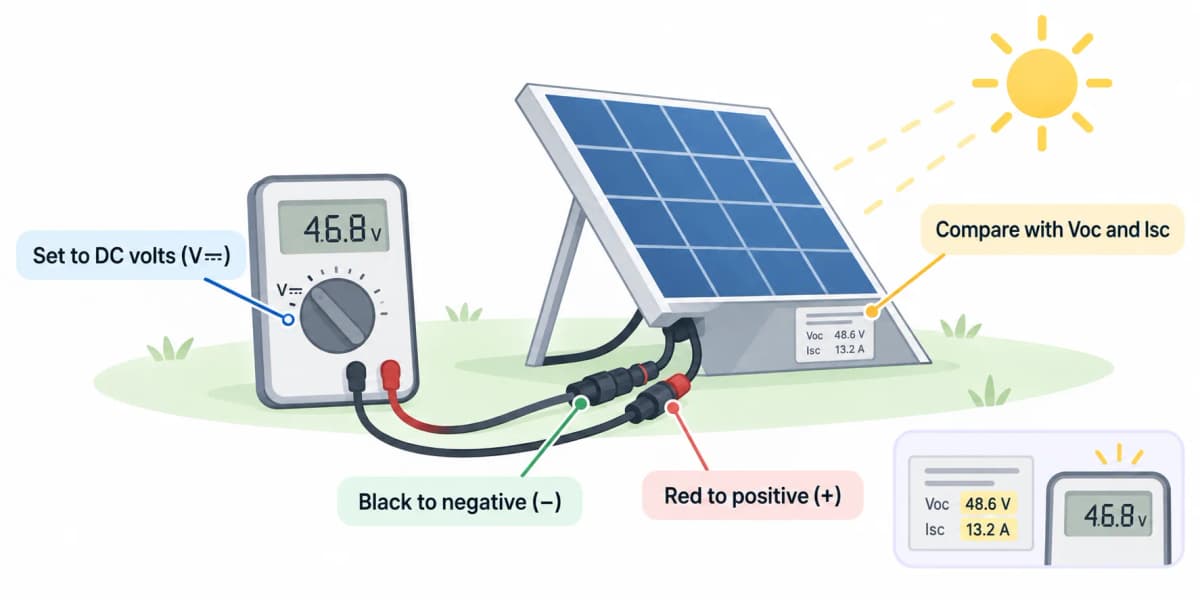
Step 2: Measure Open-Circuit Voltage (Voc)
For a safely isolated, standalone panel:
Set your multimeter to DC voltage (V⎓), using a range above the panel's maximum expected voltage.
Using correctly rated leads and connectors, connect the red probe to positive (+) and the black probe to negative (−).
Note the voltage and compare it with the panel's specifications.
As Fluke's solar panel testing guide says, voltage measurements can help identify possible problems.
A slightly different reading doesn't always mean a fault. Temperature and sunlight affect the result.
Step 3: Measure Short-Circuit Current (Isc) Safely
Short-circuit current tells you how much current your panel can produce in the available sunlight.
However, measuring Isc involves deliberately short-circuiting the panel. Don't attempt this with an ordinary multimeter. Use a properly rated solar PV tester or have a qualified technician perform the test.
Step 4: Check Power Output Under Load
Voltage alone doesn't tell you how much electricity your panel can deliver.
To check its power, measure voltage and current while the panel supplies a suitable load, using correctly rated equipment.
Power (Watts) = Operating Voltage × Operating Current
For example, if your panel produces 18V at 5A, its output is 90 watts.
For rated maximum power, use Vmp × Imp, not Voc × Isc. Fluke explains why voltage and short-circuit current checks alone cannot confirm a panel's actual performance.
Remember, output depends on sunlight and temperature. A lower reading on a cloudy day doesn't automatically mean your panel is faulty.
Safety First: Never Test Live Rooftop Solar Strings Yourself
Solar panels generate electricity whenever daylight reaches them, even when the inverter is switched off. Switching off an inverter doesn't necessarily remove dangerous voltage from solar panel wiring.
To stay safe:
Never disconnect rooftop solar cables or touch exposed wiring.
Don't attempt voltage or short-circuit current tests on rooftop solar strings.
Call a qualified solar installer if you suspect damaged wiring or an electrical fault.
For small, standalone panels, use properly rated testing equipment and follow the manufacturer's safety instructions. Remember, even a disconnected panel can produce electricity in daylight.
How Can You Tell If a Solar Panel Is Faulty?
A sudden drop in electricity generation can signal a problem, but it doesn't always mean your panels are faulty. According to Which?'s solar panel troubleshooting guide, weather, shading, dirt and inverter faults are common causes.
Low Output on Cloudy Days
This is usually normal. Less sunlight means less electricity. Compare your readings on a brighter day before assuming something is wrong.
Zero Output in Bright Sunshine
If your system produces nothing during sunny weather, check for inverter errors or monitoring issues. If the inverter also shows zero generation, contact your installer.
Normal Voltage but Low Power Output
A panel can show normal voltage but still struggle to deliver power. Shading, damaged cells or faulty connections could be responsible. A professional load test can help identify the cause.
Sudden Drop in Generation After a Storm
Strong winds, hail or lightning can damage panels or electrical connections. If generation suddenly drops after a storm, arrange a professional inspection, especially if you notice visible damage.
How to Keep Track of Your Solar Panel Performance Over Time
One day's reading won't tell you much. Tracking your solar generation over time helps you spot problems before they affect your electricity bills.
Keep an eye on:
Daily generation: How much electricity your panels produce in kWh.
Weather changes: Whether lower output matches cloudy conditions.
Unusual drops: Consistently low generation, even on sunny days.
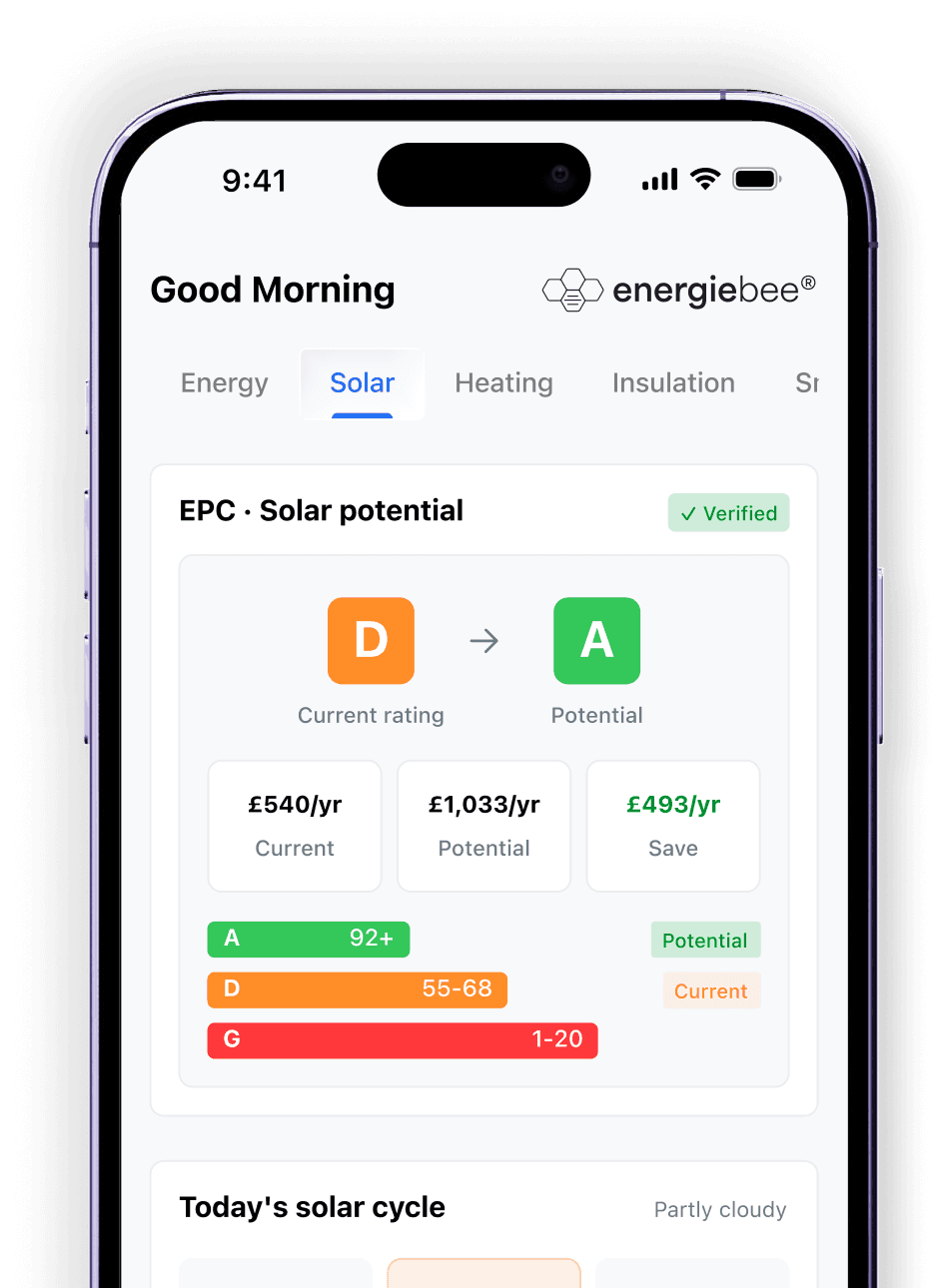
Instead of checking different apps, EnergieBee brings your solar generation data and forecasts into one dashboard. This makes it easier to understand your panels' performance and recognise when something needs attention.
See how your solar panels are performing
EnergieBee brings your solar generation and forecasts together, helping you spot unusual drops and understand your system's performance.
How to Test a New or Second-Hand Solar Panel Before Buying
If you are buying a used solar panel, don't rely on the seller's word alone. Follow these four checks to see whether it's worth buying.
Step 1: Check the panel's specifications
Find the label on the back and note its rated wattage, voltage (Voc) and current (Isc). Compare these with the manufacturer's datasheet.
Step 2: Inspect for damage
Look for cracked glass, discolouration, corrosion or damaged cables. Any visible damage is a reason to be cautious.
Step 3: Test the voltage
For a small, safely isolated panel that you're competent to test:
Set your multimeter to DC voltage (V⎓), above the maximum expected voltage.
Connect red to positive (+) and black to negative (−) using properly rated connections.
Compare the reading with the rated Voc, allowing for temperature and sunlight.
Step 4: Check the actual power output
Ask the seller for a power test using suitable solar testing equipment. An I-V curve test can help show whether the panel delivers its expected power under measured conditions.
Before buying: A normal voltage reading doesn't prove the panel is working perfectly. If the results are unclear, request an independent test and check the return policy.
When Should You Call a Professional Solar Installer?
If your solar panels keep underperforming despite good sunlight, it's time to get professional help.
Contact an installer if you notice:
Repeated inverter errors or unexplained zero output.
Visible cracks, damaged cables or signs of overheating.
Consistently low generation even in suitable weather.
Electrical faults that require testing rooftop panels or wiring.
Contact your original installer first, especially if your system is still under warranty. Otherwise, Citizens Advice recommends finding an MCS-certified installer.
How to Record Your Readings for a Warranty Claim
If you suspect a fault, keep a simple record before contacting your installer.
Save the following:
Date and weather conditions when the problem occurred.
Generation readings (kWh) from your meter or monitoring app.
Screenshots of inverter errors or unusual output.
Installation documents and warranty details.
These records can help your installer investigate the problem and support a warranty claim. Remember, lower generation alone doesn't prove a faulty panel. A professional performance test may be needed.
Frequently Asked Questions
Can You Test a Solar Panel Without Sunlight?
You can check for voltage under bright artificial light, but it won't reliably show how well your panel performs. For an accurate power test, you need suitable, measurable sunlight.
What Voltage Should a Solar Panel Produce?
It depends on the panel. A typical 12V nominal solar panel may show around 20–23V when disconnected. Check the rated open-circuit voltage (Voc) on your panel's label for the correct comparison.
Can a Solar Panel Show Voltage but Still Be Faulty?
Yes. A faulty panel may show normal voltage but fail to deliver enough power when connected to a load. That's why voltage alone isn't enough to confirm it's working properly.
Why Is My Solar Panel Reading Lower Than Its Rating?
Solar panels are rated under standard laboratory conditions. Cloud cover, shading, panel temperature and sunlight angle can all reduce real-world output. A lower reading doesn't automatically mean a fault.
How Often Should Solar Panels Be Tested?
Check your generation readings regularly and visually inspect your panels from the ground every one to two years. Consider a professional service every three to five years, or sooner if you notice unusual performance.